Kayıtlar

#pictures etiketine sahip yayınlar gösteriliyor

Week 12 - Virtual Reality in Language Learning & Teaching
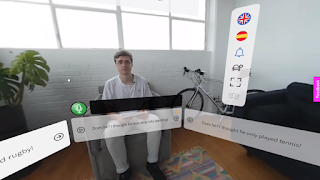
Resim
 Our lesson started with technical issues 😀 but we got the party going almost immediately. We went on with discussing whether some of us know or tried VR, Mr. Karacan's previous project about VR, and obtained more information about what VR is. Then we watched an informative video (link down below) about virtual reality. The first thing mentioned in the video was that it was not only for gaming. It has many more features and some of them the VR offers to its users are; - Watching movies & TV shows - Learning to play an instrument - Touring around the world - Meditation - Facing fears (heights, darkness, bugs...) - Additive manufacturing - Attending live concerts or sports shows - Education - Shopping - Hanging out with friends from different places... After the video, we discussed the areas in which VR can be used; education, entertainment, traveling, gaming, shopping, military, meditating, training, finance, architecture, real estate, etc. Our next focus was on a website calle...

Week 8 - Learning Management Systems

Resim
 In this week's lesson our topic was LMS , an abbreviation for Learning Management Systems . Such systems help teachers in managing class, homeworks, reports, etc. There are many systems teachers can use as a management tool. The websites/systems we mentioned in the class are below; Microsoft Teams: An system which has features like live meeting, chatting, assigning works, pairing into groups, grading, etc. Perculus: A system that is known for being more private; therefore, safer than other systems. However, it is not applicable because of the lack of features. Blackboard: An education based systems with many features. It is similar to Teams but this one can be accepted more useful due to the convenience of it. It allows teachers to download documents easily. Other striking features are time tracking, various testing types (fill-in-the-blanks, open-ended, multiple choice, etc.), rooms, etc. Edmodo: Guess what? Another education based system 😁 It offers features like online classes...

Week 7 - Presentation Systems & Platforms

Resim
 We started our lesson with the daily moods of our classmates. Then we went on with today's topic: Systems that can be used while giving a presentation and how to make our presentations more interactive. We checked out a few websites to use in order to improve our presentations. The websites are below; Nearpod: A n interactive presentation website that has VR (360 ° Map), voting, pie chart,   true/false activity, drawing, and  collaborative board features. Mentimeter: Another interactive website with many features like interactive polls, quizzes, Q&A, and word cloud. Hypersay: Again, an interactive website 😀. The site has a chatbox, question tab, and clapping feature. Slido: A presentation website that has features like polling, Q&A, multiple choice quiz, rating, ranking, etc. Canva: A website that has informative graphic templates about many topics. Postermywall: Another website with many templates that can be used in order to improve presentations visually. Pik...